 listicle
Benefits of Digital Construction Safety Logs: 2026 Guide
Table of Contents
- Real-Time Reporting and Data Accuracy in Digital Safety Logs
- OSHA Construction Recordkeeping Requirements: How Digital Logs Keep You Compliant
- Construction Safety Management Software Features That Matter for Field Adoption
- Digital vs Paper Safety Logs Comparison: Which Holds Up on a Jobsite?
- ROI and Cost-Benefit Analysis: What Digital Safety Logs Save You
- Implementation Roadmap: How to Roll Out Digital Safety Logs Step by Step
- Data Security, Privacy, and Offline Functionality
- Conclusion: Making the Switch to Digital Safety Logs
- Frequently Asked Questions
Last Updated: September 16, 2026
Real-Time Reporting and Data Accuracy in Digital Safety Logs
Digital construction safety logs are mobile and cloud-based records that capture jobsite hazards, inspections, incidents, and compliance data as work happens, rather than at the end of a shift or week. This guide from Equipment Now Rental and Sales breaks down the benefits of digital construction safety logs, and where paper quietly costs you more.
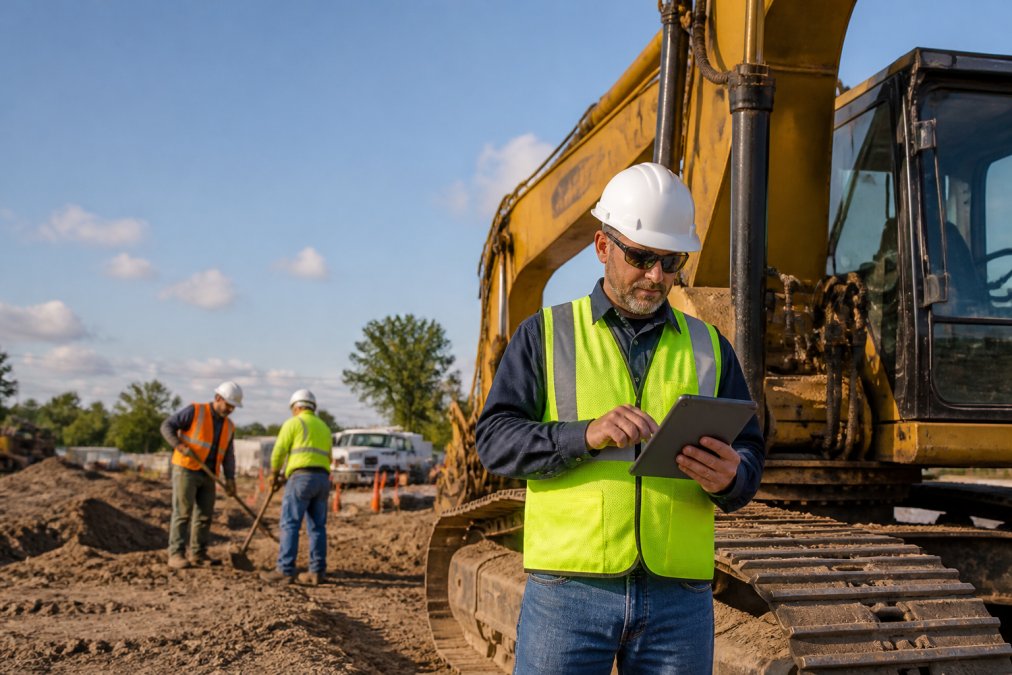
The core shift is timing. A supervisor logs a hazard while standing next to the machine, not three hours later from memory.
That matters because memory is the weak link in every paper system. Details blur, handwriting gets misread, and forms sit in a truck cab until someone drives them to the office. Digital logs timestamp every entry and attach photos, GPS location, and the name of the person who signed off.
For fleet and site managers, the practical result is a live safety picture instead of a weekly reconstruction. When a regulator or an insurer asks what happened on a specific date, the answer takes seconds to pull rather than an afternoon of filing-cabinet archaeology.
OSHA Construction Recordkeeping Requirements: How Digital Logs Keep You Compliant
OSHA construction recordkeeping requirements are the federal rules governing which workplace injuries and illnesses must be recorded, how quickly, and for how long. Digital logs don't change those obligations, but they make meeting them far harder to get wrong.
Under OSHA's recordkeeping regulations for construction, employers must record serious injuries and illnesses on the OSHA 300 Log, post the annual summary, and retain records for a set period. The rules are strict about timelines, and a missed entry is a citable violation.
Paper systems fail here in a predictable way. A foreman reports a near-miss verbally, nobody writes it down, and the record that should exist simply doesn't. Digital logs force the entry at the point of the incident, with automated notifications nudging supervisors when a form is incomplete.
The OSHA Safety and Health Topics pages also outline inspection priorities, which is why a clean, searchable record set matters when a compliance officer arrives. Handing over a filtered digital report reads very differently than handing over a box of forms.
Construction Safety Management Software Features That Matter for Field Adoption
Construction safety management software features only deliver value if crews actually use them in the field. The best feature list loses to a clunky interface every time.
Here's what separates tools that get adopted from tools that get abandoned:
- Offline mode that syncs when connectivity returns, essential for remote sites
- Photo and voice capture so workers document hazards without typing paragraphs
- Pre-built inspection templates for equipment types your crews actually run
- Digital signature capture for toolbox talks and safety meetings
- Automated notifications that route incidents to the right manager instantly
The platforms in this space differ in where they focus. Fluix and Safesite lean toward form digitization and mobile inspections. HCSS Safety and eMOD Safety go deeper on compliance and subcontractor accountability. Tenna links safety logs to equipment and GPS tracking.
| Platform | Primary Focus | Standout Feature | Best For |
|---|---|---|---|
| Fluix | Form digitization | Offline mobile forms | Paper-to-digital transitions |
| Safesite | Mobile inspections | Free entry tier | Small crews testing the water |
| HCSS Safety | Heavy civil | 1,000+ toolbox talks | Equipment-heavy fleets |
| HammerTech | Subcontractor compliance | Permit-to-work | Multi-sub GCs |
| Tenna | Equipment + safety | GPS asset tracking | Large owned fleets |
Digital vs Paper Safety Logs Comparison: Which Holds Up on a Jobsite?
A digital vs paper safety logs comparison usually comes down to four things: speed, accuracy, searchability, and durability. Digital wins on all four, but the margin depends on how your crews work, and the decision gets clearer once you put real numbers behind each category.
| Criterion | Paper | Digital |
|---|---|---|
| Entry time per inspection | 10-20 minutes handwritten | 3-7 minutes with templates and photo capture |
| Retrieval time for a specific record | 15-45 minutes of manual search | Seconds via keyword or date filter |
| Record loss rate | Commonly 5-15% of forms never make it to the office | Near zero when sync is automatic |
| Storage cost | Physical space, boxes, offsite archiving | Cloud storage, typically fractions of a cent per record |
| Durability | Damaged by water, heat, and handling | Survives device loss via cloud backup |
| Audit readiness | Days of prep before an inspection | On-demand report generation |
ROI and Cost-Benefit Analysis: What Digital Safety Logs Save You
The return on digital safety logs comes from three places: reduced administrative time, fewer compliance penalties, and lower insurance exposure. Most articles stop at that sentence. Here's the framework to actually calculate it for your operation.
The three-line ROI model
Line 1: Administrative time recovered. Count the number of safety forms your crews complete per week. Multiply by the average minutes saved per form when moving from paper to a digital template (commonly 5-15 minutes per form once crews are trained). Divide by 60 to get hours, then multiply by your fully loaded supervisor hourly rate.
What to measure before and after rollout
- Hours per week your team spends compiling, filing, and retrieving safety paperwork
- Number of incomplete or missing records found during internal audits
- Time to produce documentation for an inspector, insurer, or client
- Incident frequency and severity trends over comparable periods
- Number of near-misses captured (digital systems typically surface more, which is a leading indicator, not a problem)
The asymmetry that decides it
Most of the savings hide in administrative efficiency. A supervisor who spends an hour a week on paperwork across a ten-person crew is burning time that could go toward production. Multiply that across a season and the number gets uncomfortable.
Implementation Roadmap: How to Roll Out Digital Safety Logs Step by Step
Rolling out digital safety logs works best in phases, not as a single company-wide switch. A staged approach lets you fix problems on one crew before they spread.
What you'll need:
- A chosen platform with offline capability
- Rugged tablets or smartphones for supervisors
- A designated internal champion
- Baseline metrics from your current paper process
Data Security, Privacy, and Offline Functionality
Data security and offline functionality are the two questions that decide whether a digital safety log survives contact with a real jobsite. Get either wrong and the system collapses.
Look for these when evaluating platforms:
- Role-based access so workers see only what they need
- Encryption in transit and at rest
- Offline capture that queues entries and syncs automatically
- Clear data ownership terms, so your records stay yours
Conclusion: Making the Switch to Digital Safety Logs
The benefits of digital construction safety logs come down to three things: records that exist when you need them, compliance you can prove, and administrative time you get back. Paper can't deliver any of those reliably.
Frequently Asked Questions
Why is digital safety documentation important for OSHA compliance?
OSHA construction recordkeeping requirements demand accurate, timely logs of incidents, inspections, and training. Digital safety logs automatically timestamp entries, store records in the cloud, and generate audit-ready reports. This reduces the risk of missing or illegible paper forms that can lead to citations. With a traceable audit trail, you can show exactly when and how safety protocols were followed, making inspections smoother and helping you avoid penalties.
How do digital safety logs improve incident response times?
When an incident occurs, paper logs often mean searching through binders or waiting for a supervisor to return to the trailer. Digital logs let any authorized crew member report a hazard or near-miss instantly from a smartphone or tablet. Automated notifications alert safety managers in real time, so they can respond immediately. This speed can prevent a minor issue from becoming a serious injury and ensures corrective actions are tracked to completion.
What are the main risks of sticking with paper-based safety logs?
Paper logs are easily lost, damaged, or filled out incorrectly. They lack real-time visibility, so trends in jobsite hazards go unnoticed until it's too late. Administrative downtime increases as someone has to manually transcribe and file reports. During an OSHA inspection, incomplete or missing records can result in fines. Paper also makes it hard to track contractor compliance or equipment maintenance, leaving gaps in your safety culture.
Can digital safety logs help with equipment maintenance tracking?
Yes. Many construction safety management software features include equipment inspection modules. Operators can log pre-use checks, report defects, and schedule preventive maintenance directly from the field. This creates a traceable audit trail for each machine, reduces downtime, and extends asset life. If you rent equipment from a provider like Equipment Now Rental and Sales, their fleet management service can integrate with your digital logs for seamless compliance and maintenance records.